


Convert DWG to DXF Free Online
Open a DWG in your browser, check the drawing, and save it as a DXF that other CAD, laser and CNC programs can read.

Convert your DWG to DXF
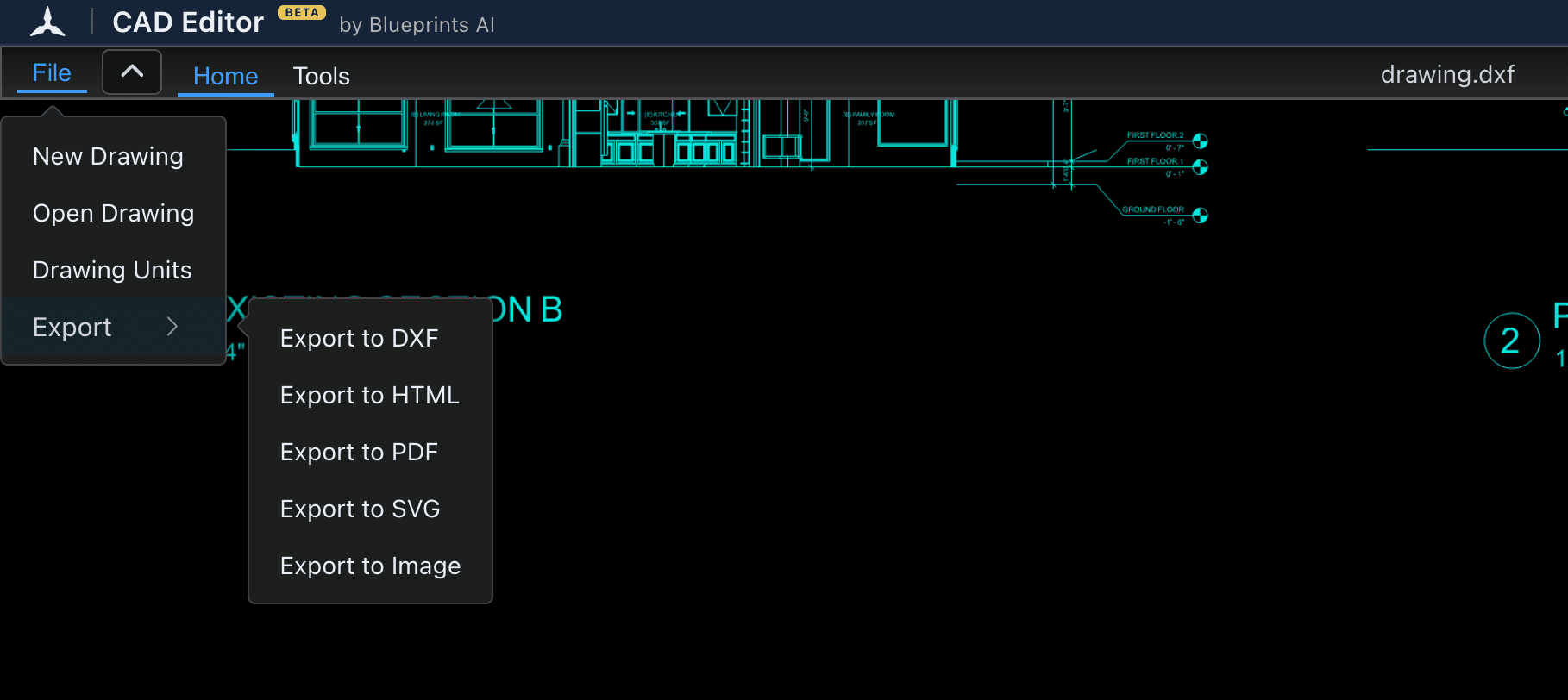
The editor opens in a new tab. Drag your DWG file into it, then choose File, Export, Export to DXF.
Open the DWG to DXF converter(opens a new tab)- Free
- No install
- No account
- Mac, Windows, iPad, phone
4,439 people used CAD Editor in the last 30 days.
To convert DWG to DXF without AutoCAD, open the DWG in CAD Editor, a free CAD editor that runs in your browser. Check the drawing, then choose File, Export, Export to DXF to download it. It is free, with no install and no account, and it works on Mac, Windows, Linux and iPad.
How to convert DWG to DXF in three steps
- 1
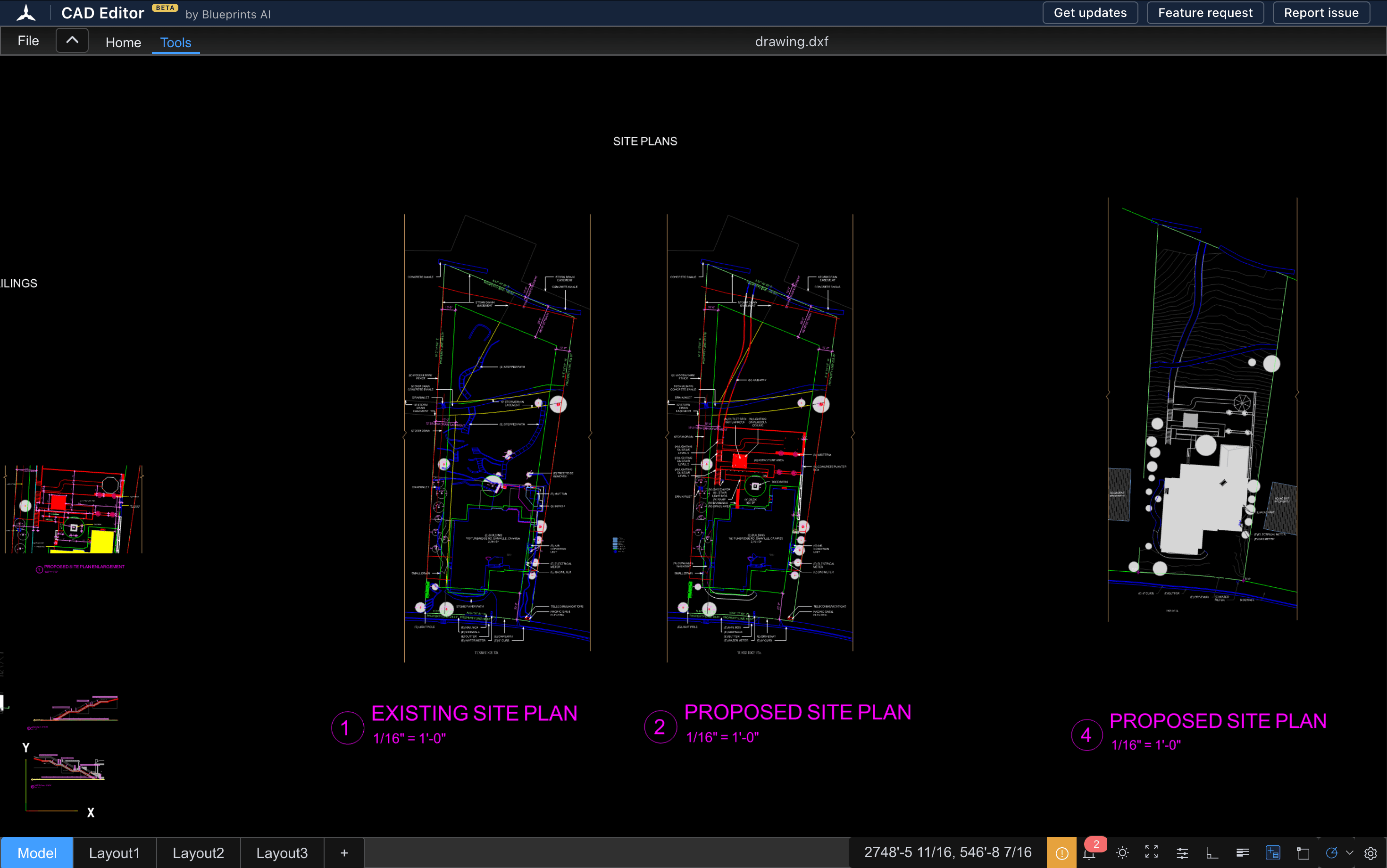
Open your DWG
Choose Open the DWG to DXF converter above. When the editor opens, drag your DWG file into the window, or choose File, then Open Drawing.
- 2
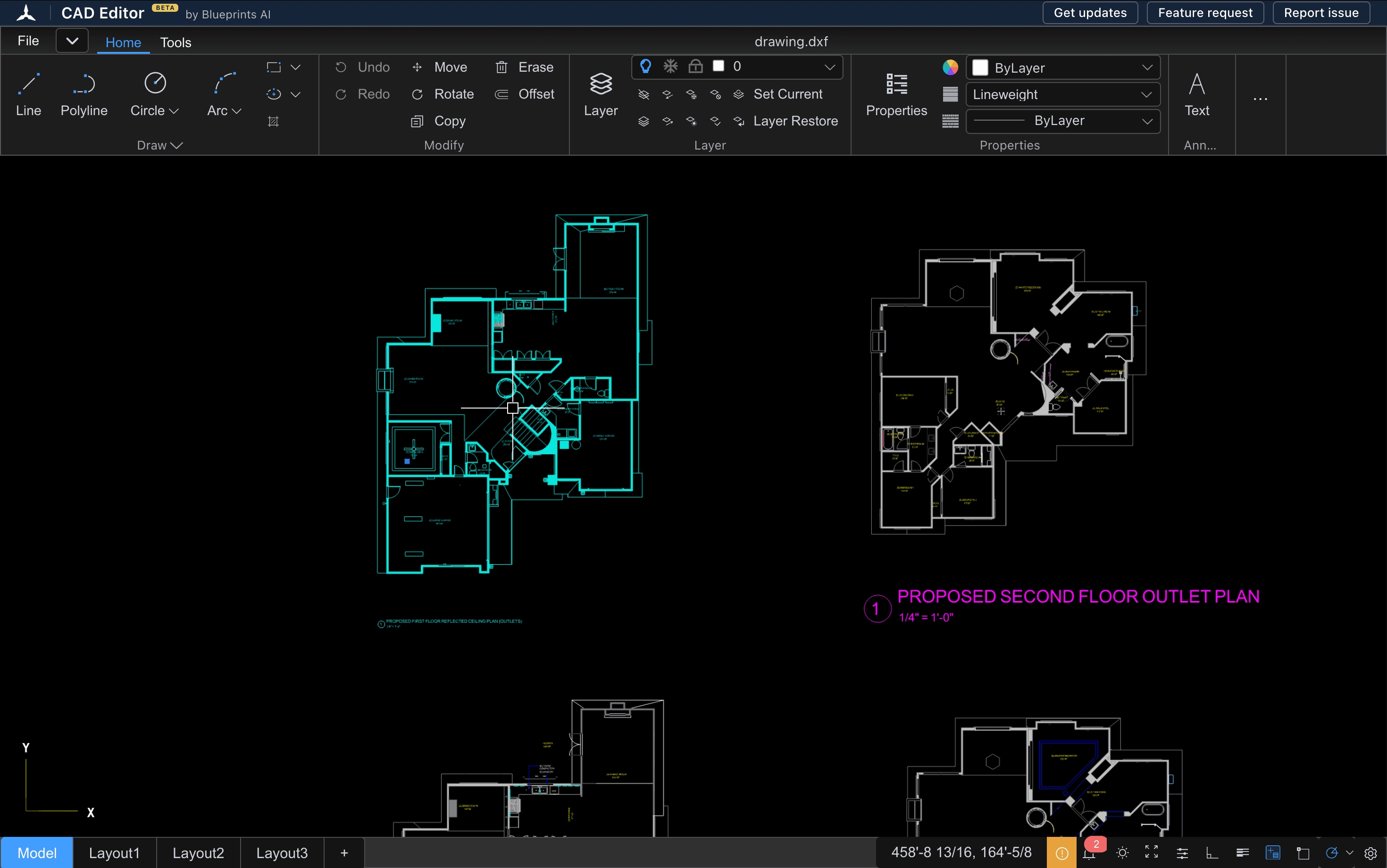
Check the drawing
Zoom around and turn layers on and off to see that everything came through. If the drawing holds objects the editor cannot read, it tells you how many it left out.
- 3
Export to DXF
Choose File, Export, Export to DXF. The DXF file downloads to your computer, ready for the next program.
Why convert DWG to DXF
DWG is the file format AutoCAD saves by default. DXF is the exchange format Autodesk made so drawings could move between programs. Many programs that cannot open a DWG can open a DXF, so converting gives the next person or machine a file it can read.
- Send a part to a laser cutter or CNC shop. Laser and CNC software reads DXF, and much of it cannot read DWG.
- Open the drawing in a program without DWG support, such as a free CAD program or an illustration tool.
- Share with someone who has no AutoCAD. A DXF opens in more places, including free viewers.
- Keep working in CAD Editor. CAD Editor saves your work as DXF, so a DWG you edit here leaves as a DXF.
What to check in your DXF
We are still testing how every kind of drawing comes through, so look over these before you send the file on:
- Layers. Turn layers on and off and check that each one is there, with the right name.
- Blocks. Look at repeated symbols such as doors, fixtures and title blocks.
- Text and dimensions. A drawing that uses a font the editor cannot find shows that text in a stand-in font. The words stay the same.
- Units and scale. Open File, Drawing Units to see the units the drawing uses, and measure one known length with the distance tool.
If something is missing, tell us on the CAD Editor community board(opens a new tab). Say which program made the DWG. It helps us fix it.
DWG to DXF without AutoCAD
In AutoCAD you would use Save As and pick a DXF file type. Without AutoCAD you need a program that can read DWG and write DXF. CAD Editor does both in a web browser, so it works the same on a Mac, a Windows laptop, a Chromebook or an iPad, with nothing to install.
CAD Editor compared with upload converters
Most DWG to DXF converters online work by upload: you send the file, wait, and download what comes back. CAD Editor opens the drawing in an editor instead, so you see it before you save it. Each way has its limits:
| CAD Editor | Upload converter websites | |
|---|---|---|
| See the drawing before you save | Yes, it opens in a full editor | Not part of the conversion |
| Fix the drawing before you save | Yes, with 2D drawing and editing tools | No, the file converts as it is |
| Several files at once | No, one drawing at a time | Some offer it |
| Other output formats | DXF only, for now | Several formats |
| Price | Free, no account | Free with limits, or paid plans |
If you have a folder of DWG files to convert in one go, an upload converter may suit you better. If you have one drawing and want to be sure it is right, open it here.
Questions
How can I convert a DWG file to DXF?
Open the DWG in a program that reads DWG and save it as DXF. In CAD Editor, drag the DWG into the editor in your browser, then choose File, Export, Export to DXF.
How do I convert DWG to DXF without AutoCAD?
Use a free tool that reads DWG and writes DXF. CAD Editor does both in your web browser, free, with no install and no account, on Mac, Windows, Linux and iPad.
Are DWG and DXF the same?
No. Both hold CAD drawings, but DWG is AutoCAD's own format and DXF is the format made for moving drawings between programs. See what a DXF file is and what a DWG file is.
Does AutoCAD create DXF files?
Yes. AutoCAD can save a drawing as DXF with Save As, and it opens DXF files too.
Is the DWG to DXF converter free?
Yes. Opening a DWG and exporting a DXF is free, with no account and no sign-up.
Can I convert DXF back to DWG?
No. CAD Editor saves DXF only. It cannot write DWG files.
Related tools
- DWG viewerOpen a DWG file in your browser and look through the drawing: zoom, layers, layouts and measurements. No AutoCAD, no install, no account.
- DXF viewerOpen a DXF file in your browser, check it, and fix it in the same window if something needs to change.
- CAD converterConvert DWG drawings to DXF in your browser, and see the drawing before you save it.
- What is a DXF file?A plain guide to DXF: what it is, why CAD programs and laser cutters use it, and how to open, check or make one.
- What is a DWG file?A plain guide to the DWG format: what it is, who uses it, its versions, and how to open or convert one.