


Free Online DXF Viewer
Open a DXF file in your browser, check it, and fix it in the same window if something needs to change.

Open your DXF file in the free viewer
The viewer opens in a new tab. Drag your DXF file into it, or choose File, then Open Drawing. The editing tools are on the Home tab when you need them.
Open the DXF viewer(opens a new tab)- Free
- No install
- No account
- Mac, Windows, iPad, phone
4,442 people used CAD Editor in the last 30 days.
CAD Editor is a free DXF viewer and editor that runs in your web browser. Drag in a DXF file and it opens with its layers and layouts. Measure distances and areas, check the geometry before laser cutting or CNC work, and fix what is wrong in the same window. No install and no account.
How to view a DXF file online
- 1
Open the viewer
Choose Open the DXF viewer above. CAD Editor opens in a new tab, ready for your file.
- 2
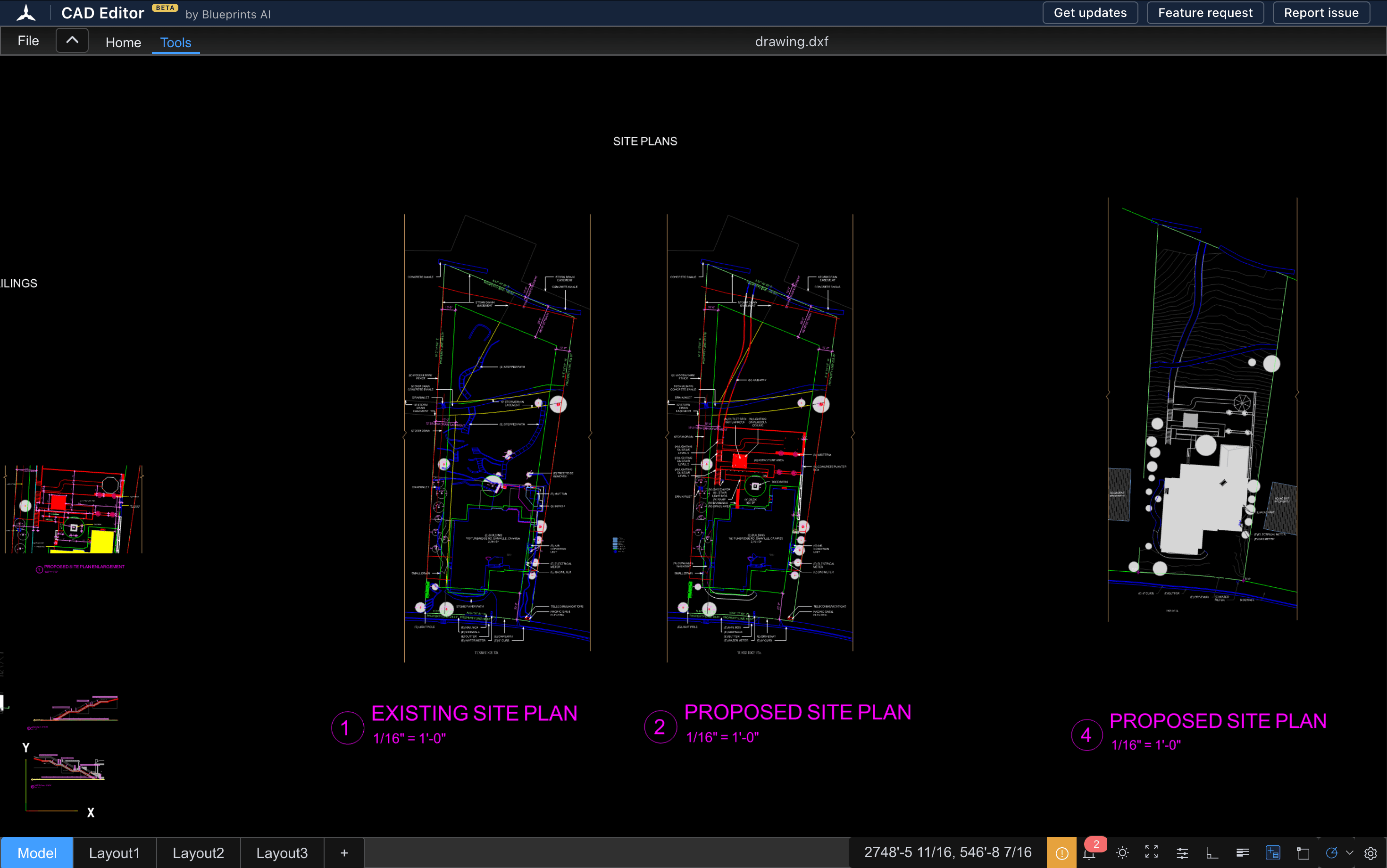
Drag in your DXF
Drop the DXF file into the window, or choose File, then Open Drawing. It opens as the drawing, with its layers.
- 3
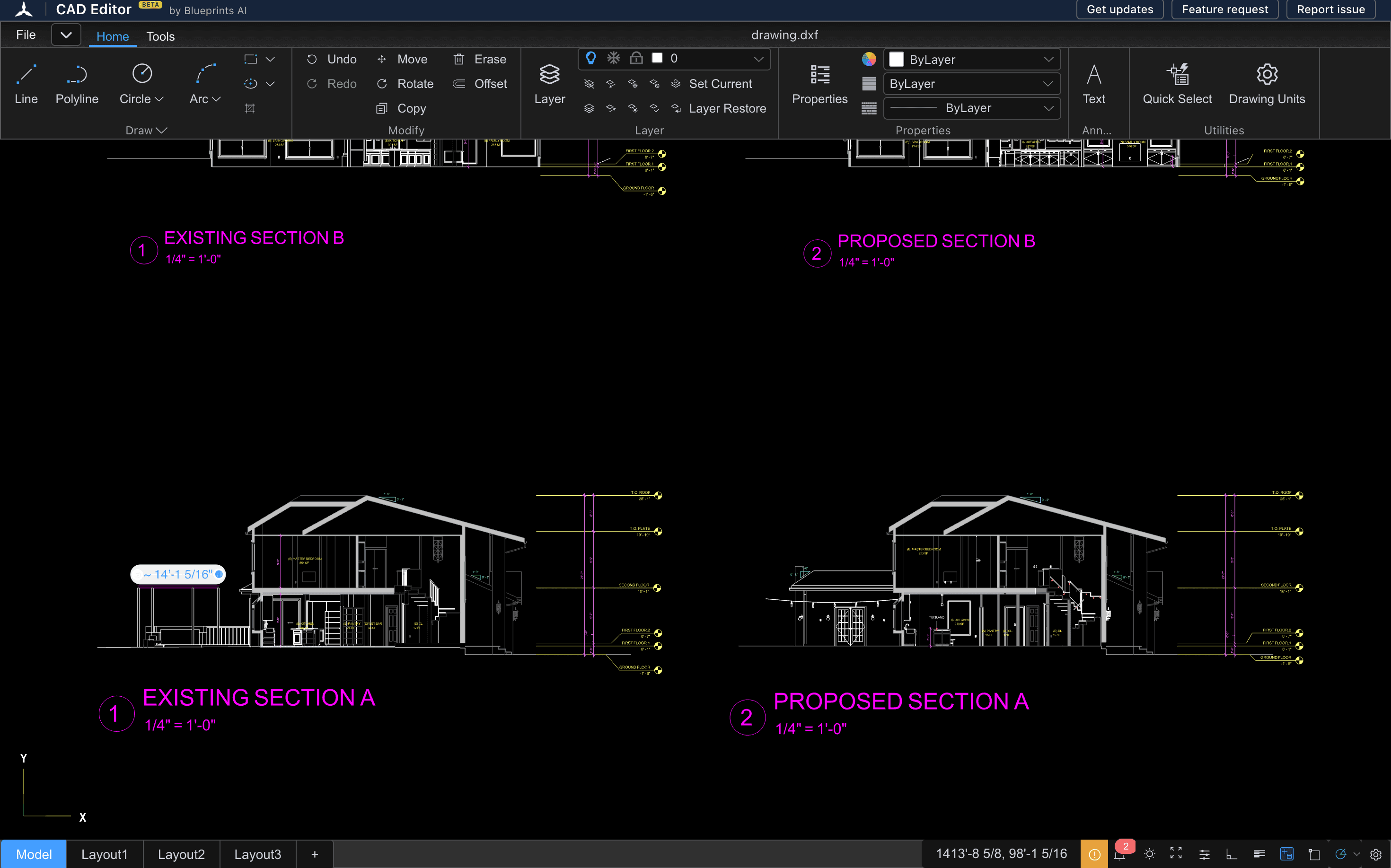
Check it, and fix it if needed
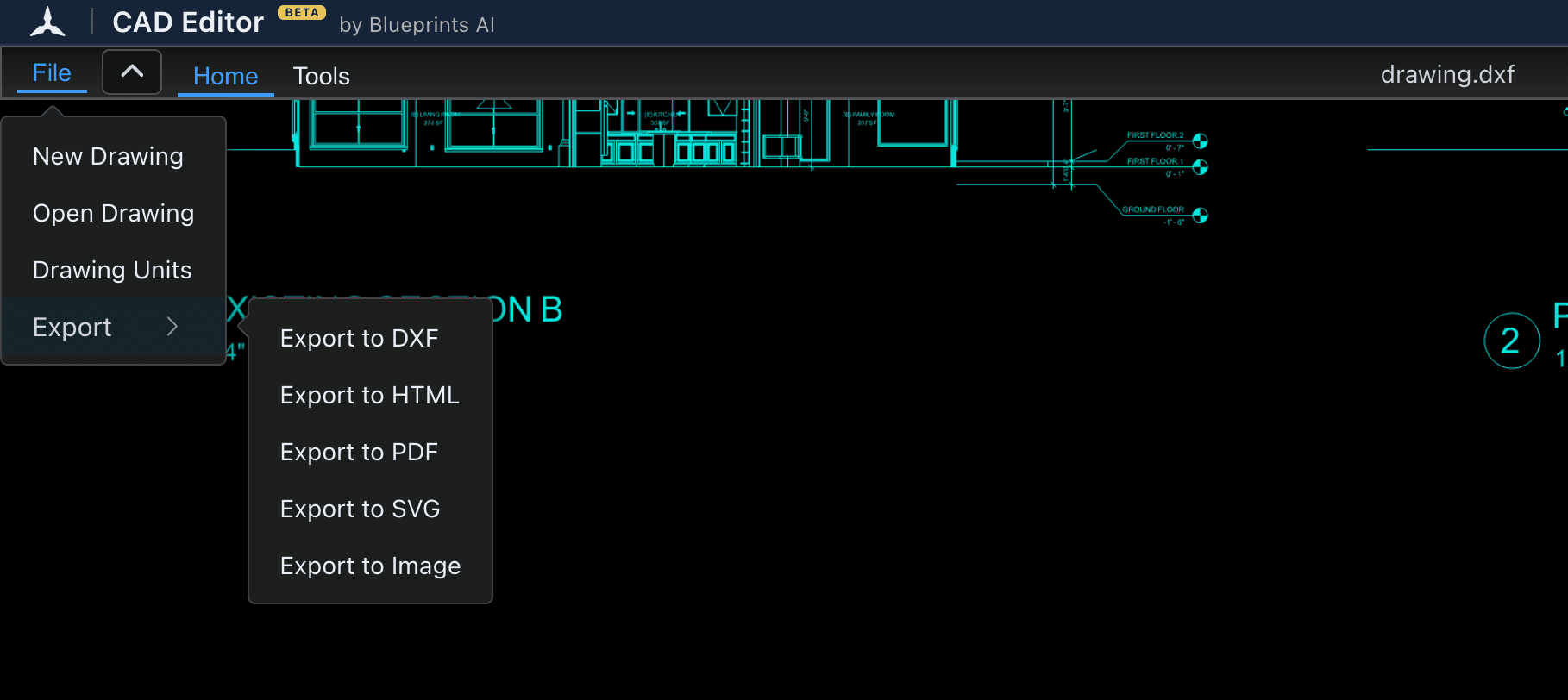
Measure on the Tools tab. To change something, use the drawing tools on the Home tab, then choose File, Export, Export to DXF to save a new copy.
View and edit a DXF in one place
A view-only tool can show you a problem but cannot fix it. CAD Editor is a 2D CAD editor, so when you spot a wrong line or a missing label, you fix it on the spot instead of going back to the person who sent the file.
- Lines, polylines, arcs, circles, ellipses, hatches and text.
- Layers you can turn on and off, and set for each object.
- Angle snaps at 30, 45, 60 and 90 degrees, object snaps, ortho and polar tracking.
- Architectural units, so lengths read in feet and inches.
- The keyboard commands CAD users already know, plus undo and redo.
When you are done, choose File, Export, Export to DXF to download the new file. You do not need a second program to make the change.
Check a DXF before laser cutting or CNC work
A DXF that looks fine can still waste a sheet of material. Five checks catch most problems:
- Measure the overall size with the distance tool on the Tools tab and compare it with your material.
- Check the units. Open File, Drawing Units to see the units and precision the drawing uses. A part drawn in inches and cut in millimeters comes out 25.4 times too small.
- Turn layers off one at a time to find construction lines, notes and dimensions that should not be cut.
- Look for doubled lines. Two lines on top of each other make the laser cut the same path twice. Zoom in on corners and joints.
- Check that shapes close. A small gap at a corner can stop cutting software from finding a closed outline.
Fix what you find, then export a fresh DXF and send that file to your cutting software.
DXF viewer comparison
Most people who search for a DXF viewer choose between an online viewer and a free desktop program such as LibreCAD. Here is how they differ:
| CAD Editor | View-only online viewers | LibreCAD | |
|---|---|---|---|
| Price | Free | Free or paid | Free and open source |
| Install | None, runs in the browser | None | Download for Windows, Mac or Linux |
| Edit the drawing | Yes, 2D editing | No | Yes, 2D editing |
| Works on an iPad or phone | Yes, in the browser | Varies | No |
| Opens DWG too | Yes | Varies | Basic DWG support, says its FAQ |
LibreCAD is a good free choice on a computer you can install software on. CAD Editor fits when you want to open the file now, on any device, without installing anything.
Questions
How do I open a DXF file?
Open it in a CAD program or a free viewer. In CAD Editor, open the viewer in your browser and drag the DXF in, or choose File, then Open Drawing.
What opens DXF files for free?
CAD Editor opens DXF files free in any browser. Free desktop programs such as LibreCAD open them too, and Google Drive can show a preview. Most CAD programs read DXF, because the format was made for moving drawings between programs.
Can I edit a DXF online?
Yes. CAD Editor edits DXF in the browser with lines, polylines, arcs, text, hatches and layers, then saves your work as a new DXF.
Can I check a DXF before laser cutting?
Yes. Open it, measure the overall size, check the units under File, Drawing Units, and turn layers off to find lines that should not be cut. Fix problems in place and export a fresh DXF.
Is the DXF viewer free?
Yes. Viewing, editing and exporting DXF in CAD Editor are free, with no account and no install.
Does it work on a phone?
Yes, in the phone's browser. A phone is good for checking a detail. A laptop or tablet is better for editing.
Related tools
- DWG viewerOpen a DWG file in your browser and look through the drawing: zoom, layers, layouts and measurements. No AutoCAD, no install, no account.
- DWG to DXF converterOpen a DWG in your browser, check the drawing, and save it as a DXF that other CAD, laser and CNC programs can read.
- What is a DXF file?A plain guide to DXF: what it is, why CAD programs and laser cutters use it, and how to open, check or make one.
- CAD viewerOpen DWG and DXF drawings in any browser, on any device, with nothing to install.