


Free Online DWG Viewer
Open a DWG file in your browser and look through the drawing: zoom, layers, layouts and measurements. No AutoCAD, no install, no account.

Open your DWG file in the free viewer
The viewer opens in a new tab. Drag your DWG file into it, or choose File, then Open Drawing.
Open the DWG viewer(opens a new tab)- Free
- No install
- No account
- Mac, Windows, iPad, phone
4,439 people used CAD Editor in the last 30 days.
CAD Editor is a free DWG viewer that runs in your web browser. Open the viewer, drag in your DWG file, and the drawing opens with its layers and layouts. You can zoom, turn layers on and off, and measure distances and areas. It works on Mac, Windows, Linux, iPad and phones, with no AutoCAD and no account.
How to view a DWG file online
- 1
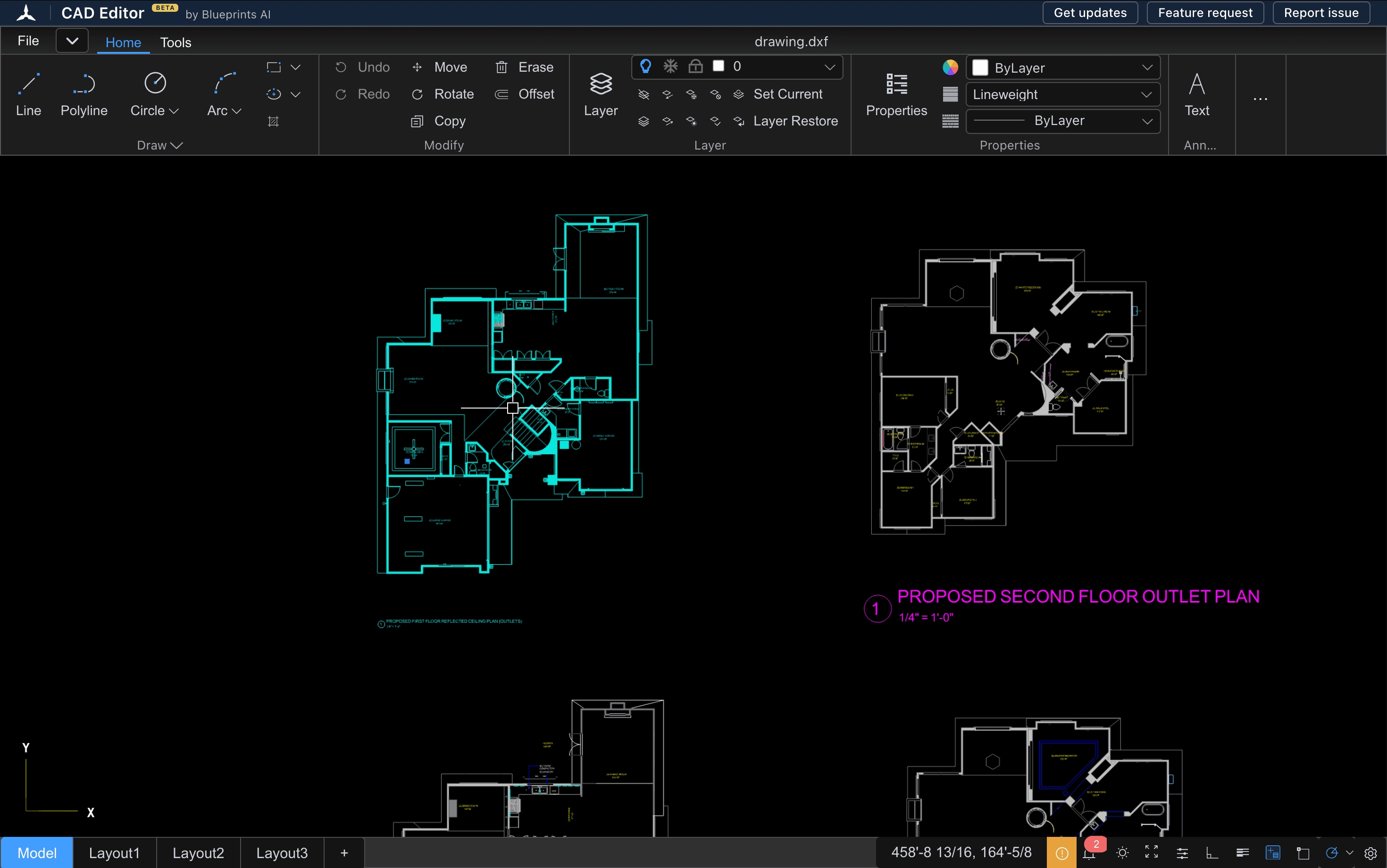
Open the viewer
Choose Open the DWG viewer above. CAD Editor opens in a new tab, with nothing to install and no sign-up.
- 2
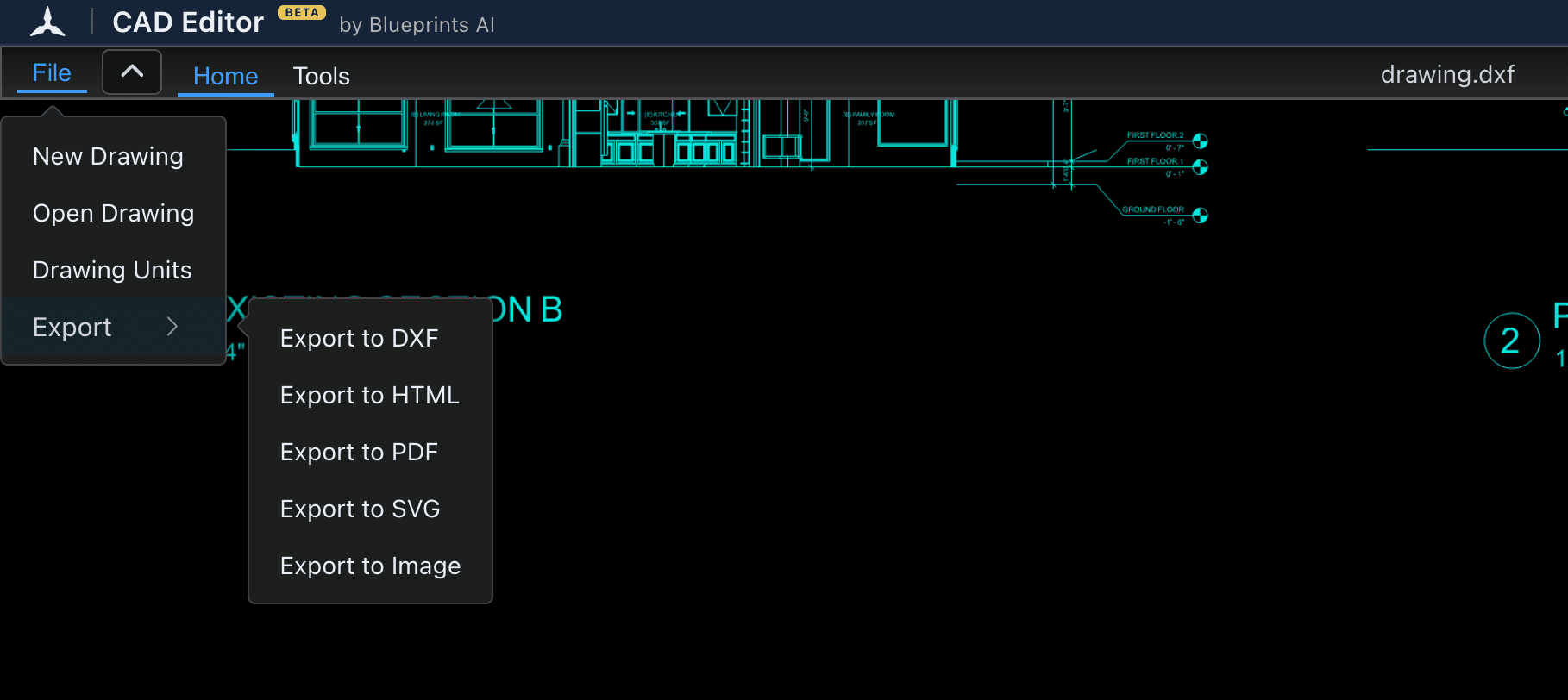
Bring in your DWG
Drag the DWG file from your desktop or downloads folder into the window. Or choose File, then Open Drawing, and pick the file.
- 3
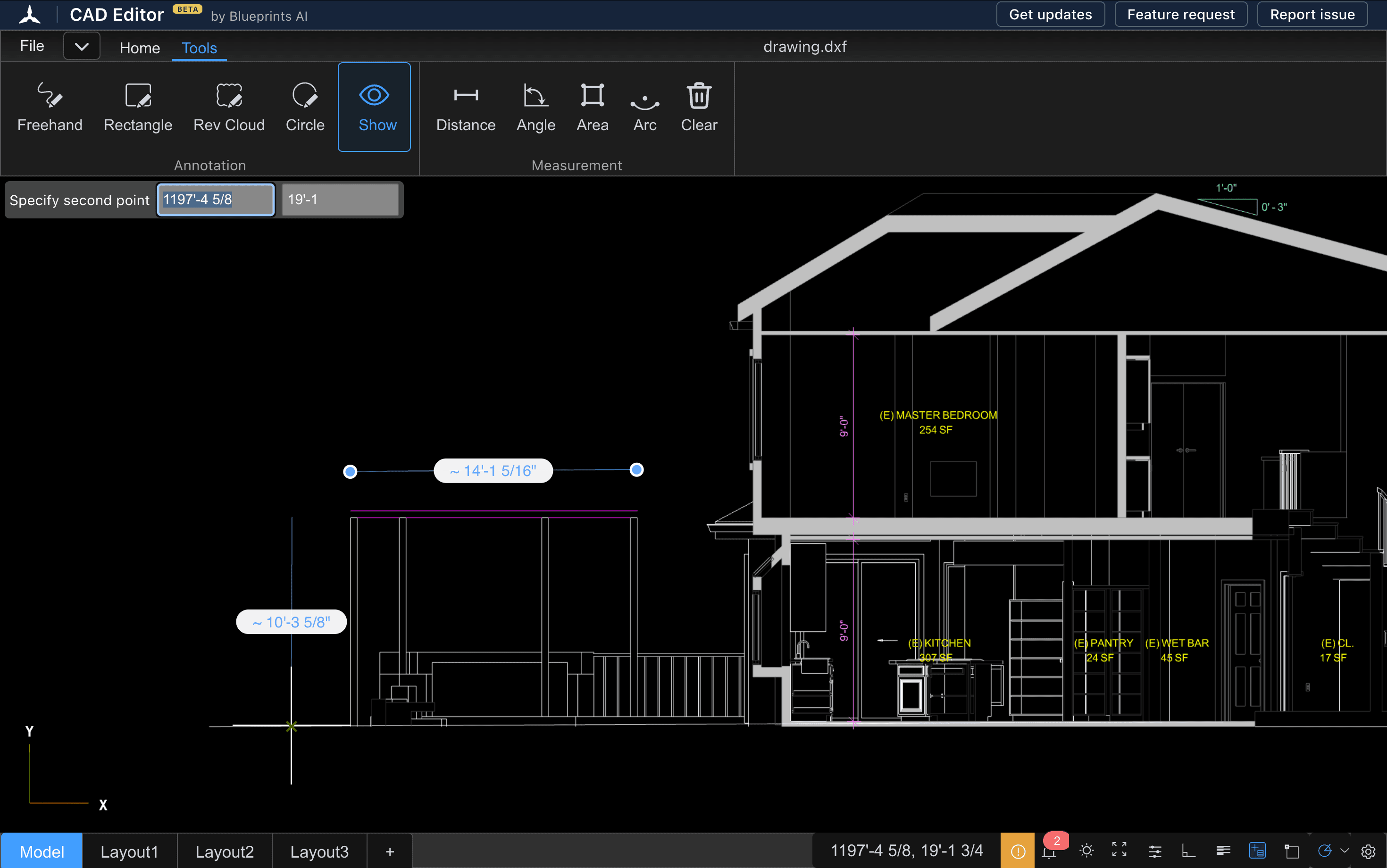
Look around the drawing
Scroll to zoom and drag to pan. Hide the layers you do not need, switch layouts with the tabs at the bottom, and measure with the tools on the Tools tab.
What you can do once the DWG opens
- Zoom and pan around the whole drawing, or zoom to a box around one area.
- Turn layers on and off to see one part of the drawing at a time.
- Switch between the model and its layouts with the tabs along the bottom.
- Measure distances, angles, areas and arcs on the Tools tab. Lengths read in the drawing's own units, feet and inches included.
- Mark up the drawing with revision clouds, rectangles, circles and freehand lines.
- Change the background between dark and light.
If you only need to look, you never have to touch a drawing tool. If you need a change, the same window is a full 2D CAD editor: draw and edit, then save your work as a DXF. CAD Editor does not save DWG files, so see the DWG to DXF converter for how that works.
DWG viewer comparison
Autodesk, which makes AutoCAD, offers two free DWG viewers of its own. Here is how they compare with CAD Editor:
| CAD Editor | DWG TrueView | Autodesk Viewer | |
|---|---|---|---|
| Price | Free | Free | Free |
| Where it runs | Any modern browser | Windows desktop app | Web browser |
| Mac | Yes, in the browser | No, it will not install on a Mac | Yes, in the browser |
| Install | None | Download and install (the 2027 version needs 64-bit Windows 11) | None |
| Edit the drawing | Yes, 2D drawing and editing; saves DXF | No | No |
DWG TrueView is the stronger choice on a Windows PC when you need to plot a set or convert a drawing to an older DWG version. Autodesk Viewer asks you to sign in with an Autodesk Account, so it suits people who already have one. CAD Editor fits when you are on a Mac, a Chromebook or a tablet, do not want an account, or need to change the drawing.
Which DWG files open
CAD Editor opens DWG files from AutoCAD and from other programs that save DWG. We are testing which DWG versions open and the largest file that works, and this page will list both once the tests are done.
If a drawing holds objects the viewer cannot draw yet, CAD Editor tells you how many it left out and shows the rest. If the text looks different, the drawing uses a font the editor cannot find, and it says so. If a file will not open at all, tell us on the community board(opens a new tab).
Viewing a DWG on a Mac, iPad or phone
Autodesk's free desktop viewer, DWG TrueView, runs on Windows only. CAD Editor runs in the browser, so a Mac needs nothing more than Safari, Chrome or Firefox.
- Mac, Windows, Linux and Chromebook: the full viewer and editor.
- iPad and Android tablets: view and mark up on a larger touch screen. Pinch to zoom, drag to pan.
- iPhone and Android phones: open a drawing and check a detail on site. A laptop is better for editing.
Questions
What program will open a DWG file?
AutoCAD and most other CAD programs open DWG files, and so do free viewers. CAD Editor opens them in your web browser for free, with nothing to install. Autodesk's free options are DWG TrueView for Windows and Autodesk Viewer online.
How can I view DWG files without AutoCAD?
Use a free viewer. With CAD Editor, open the viewer in your browser and drag the DWG in. You can zoom, check layers and measure without AutoCAD or a license.
Can I view a DWG on a Mac?
Yes. CAD Editor runs in Safari, Chrome or Firefox on a Mac, so you need no Windows program. Open the viewer and drag the DWG file in.
Is the DWG viewer free?
Yes. Viewing, measuring and editing in CAD Editor are free, with no account and no trial period.
Can I edit the DWG after viewing it?
Yes. The viewer is a full 2D editor, so you can draw and change the drawing in the same window. Save your work as a DXF. CAD Editor does not save DWG files.
Why does part of my drawing not show?
Some DWG files hold objects the viewer cannot draw yet. CAD Editor tells you how many it left out and shows the rest. If the text looks different, the drawing uses a font the editor cannot find.
Related tools
- DXF viewerOpen a DXF file in your browser, check it, and fix it in the same window if something needs to change.
- DWG to DXF converterOpen a DWG in your browser, check the drawing, and save it as a DXF that other CAD, laser and CNC programs can read.
- How to open a DWG fileThe free ways to open a DWG file on Windows, a Mac, an iPad or a phone, and what to do when it will not open.
- What is a DWG file?A plain guide to the DWG format: what it is, who uses it, its versions, and how to open or convert one.
- CAD viewerOpen DWG and DXF drawings in any browser, on any device, with nothing to install.